

Can I use an RF adapter with my TV?
Leave a message

Hey there! As an RF adapter supplier, I often get asked, "Can I use an RF adapter with my TV?" Well, the short answer is yes, in most cases, you can. But there's a bit more to it than just that simple "yes," so let's dive in and explore this topic in detail.
First off, let's talk about what an RF adapter is. RF stands for radio frequency, and an RF adapter is a device that helps in converting or connecting different types of RF signals. They come in various shapes and sizes, and each type is designed for specific purposes. For example, we have the N Adapter, the 1.85mm Adapter, and the 3.5mm Adapter. These adapters are used to connect different RF connectors, which can be really handy when you're trying to hook up your TV to other devices.
Now, why would you want to use an RF adapter with your TV? There are several reasons. One common reason is to connect an older TV to a newer device. For instance, if you have an old TV that only has an RF input, but you want to connect it to a modern cable box or satellite receiver that uses a different type of output, an RF adapter can bridge that gap. It allows you to use your existing TV with the latest technology without having to go out and buy a brand - new TV.
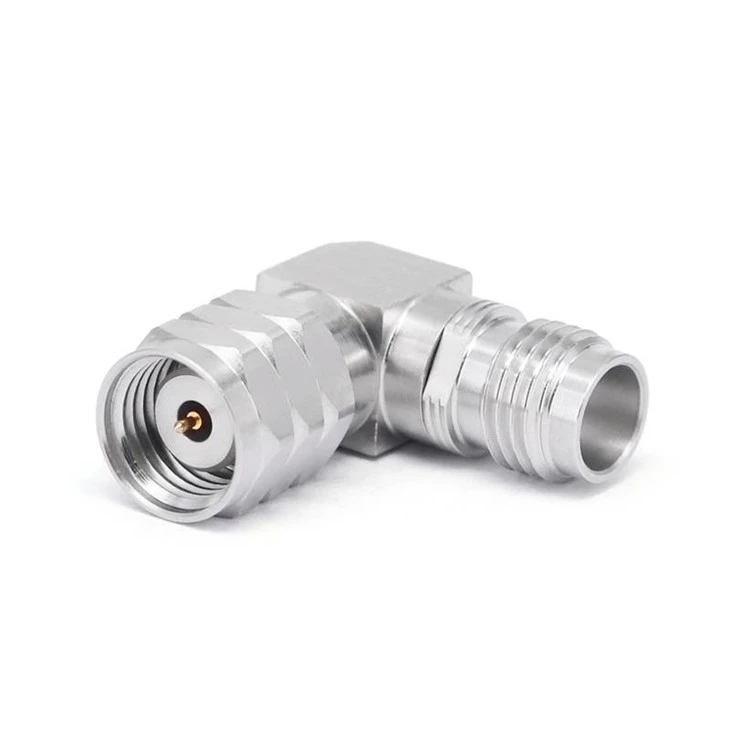

Another reason could be for antenna connections. If you're using an over - the - air antenna to get free local channels, an RF adapter can help you connect the antenna to your TV properly. Different antennas may come with different types of connectors, and an RF adapter can ensure a seamless connection between the antenna and your TV's RF input.
But before you rush out and buy an RF adapter, there are a few things you need to consider. The first thing is compatibility. Not all RF adapters are created equal, and you need to make sure that the adapter you choose is compatible with your TV and the device you're trying to connect it to. Check the specifications of your TV's RF input and the output of the other device. Look for things like impedance, frequency range, and connector type. For example, if your TV has a 75 - ohm RF input, you'll need an adapter that can handle 75 - ohm impedance.
The quality of the adapter also matters. A low - quality adapter can cause signal loss, interference, or poor picture and sound quality. When you're shopping for an RF adapter, look for ones that are made from high - quality materials and have good reviews. As an RF adapter supplier, I can tell you that investing in a good - quality adapter is worth it in the long run. It will save you from a lot of headaches and ensure that you get the best possible performance from your TV.
Let's talk a bit more about the different types of RF adapters and how they might be used with a TV. The N Adapter is a popular choice for high - frequency applications. It's often used in professional settings, but it can also be used for home entertainment systems. If you're dealing with a high - end satellite receiver or a powerful antenna, an N Adapter might be the right choice. It provides a stable and reliable connection, which is crucial for getting clear and sharp images on your TV.
The 1.85mm Adapter is designed for very high - frequency applications. It's less common for home TV use, but if you're into advanced home theater setups or have some specialized equipment, this adapter could be useful. It offers excellent performance at high frequencies, which can be beneficial if you're dealing with high - definition signals or high - speed data transfer.
The 3.5mm Adapter is a more common adapter that you might find in many consumer electronics. It's often used for connecting smaller devices to your TV. For example, if you want to connect a portable media player or a small audio device to your TV, a 3.5mm Adapter can do the job. It's a versatile adapter that can handle a wide range of frequencies and is relatively easy to use.
Installing an RF adapter with your TV is usually a straightforward process. First, make sure your TV and the other device are turned off. Then, connect the adapter to the appropriate ports on both the TV and the device. For example, if you're connecting an antenna to your TV using an RF adapter, connect one end of the adapter to the antenna's connector and the other end to your TV's RF input. Once the connections are made, turn on your TV and the other device, and you should be able to start enjoying your content.
However, if you run into any problems during the installation or use of the RF adapter, don't worry. First, double - check all the connections to make sure they are secure. Sometimes, a loose connection can cause signal issues. If the problem persists, you might want to try different settings on your TV or the other device. You can also check the troubleshooting guide that comes with the RF adapter or contact the manufacturer for support.
As an RF adapter supplier, I've seen firsthand the benefits that a good RF adapter can bring to your TV setup. It can extend the life of your old TV, improve your viewing experience, and give you more options when it comes to connecting different devices. If you're still unsure whether an RF adapter is right for you, feel free to reach out. I'm here to help you find the perfect RF adapter for your TV and answer any questions you might have.
If you're interested in purchasing an RF adapter, we have a wide range of high - quality adapters to choose from. Whether you need a N Adapter, a 1.85mm Adapter, or a 3.5mm Adapter, we've got you covered. Contact us today to start the procurement negotiation process, and let's work together to find the best solution for your TV setup.
References
- Electronics Fundamentals: Circuits, Devices, and Applications by Thomas L. Floyd
- RF and Microwave Circuit Design for Wireless Communications by Chris Bowick


