

How do I optimize the space utilization when using PCB connectors?
Leave a message

Hey there! As a provider of PCB connectors, I've seen firsthand how crucial it is to optimize space utilization when using these little wonders. In today's world, where devices are getting smaller and more compact, every square millimeter on a PCB matters. So, let's dive into some practical tips on how to make the most of your PCB space when using our connectors.
Understanding the Basics of PCB Connectors
Before we start talking about space optimization, let's quickly go over what PCB connectors are and why they're so important. PCB connectors are components that allow you to connect different parts of a printed circuit board (PCB) to external devices or other PCBs. They come in all shapes and sizes, from simple Terminal Connectors to more complex Multi-coax Connectors and End Launch Connectors.
The type of connector you choose can have a big impact on how much space it takes up on your PCB. For example, surface-mount connectors are generally more space-efficient than through-hole connectors because they can be placed directly on the surface of the PCB, rather than requiring holes to be drilled through it.
Choosing the Right Connector for Your Application
One of the first steps in optimizing space utilization is choosing the right connector for your specific application. Here are some factors to consider:
- Size and Pitch: The size and pitch of a connector refer to its physical dimensions and the spacing between its pins. Choosing a connector with a smaller size and pitch can help you save space on your PCB. For example, a connector with a 0.5mm pitch will take up less space than one with a 1.0mm pitch.
- Number of Pins: The number of pins on a connector also affects its size. If you only need a few connections, choosing a connector with fewer pins can help you save space. However, make sure you choose a connector with enough pins to meet your requirements.
- Mounting Style: As mentioned earlier, surface-mount connectors are generally more space-efficient than through-hole connectors. However, through-hole connectors may be necessary in some applications where high mechanical strength or reliability is required.
- Functionality: Different connectors offer different levels of functionality. For example, some connectors may include features such as shielding, locking mechanisms, or built-in resistors. Make sure you choose a connector with the functionality you need, but don't choose one with more features than you actually require, as this can add unnecessary bulk to your PCB.
Layout and Placement of Connectors
Once you've chosen the right connector for your application, the next step is to carefully plan the layout and placement of the connectors on your PCB. Here are some tips to help you optimize space:
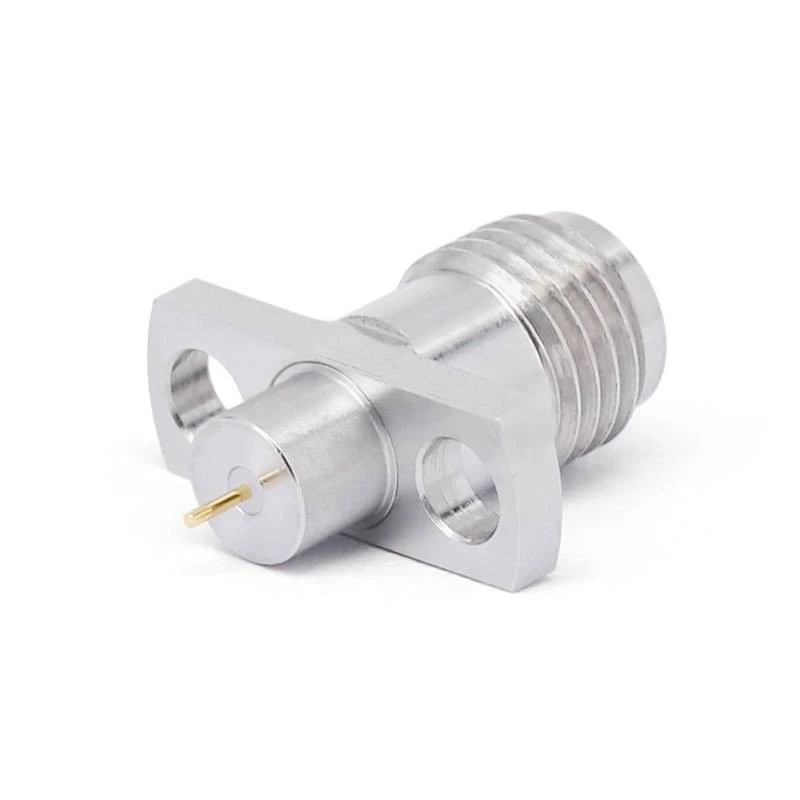
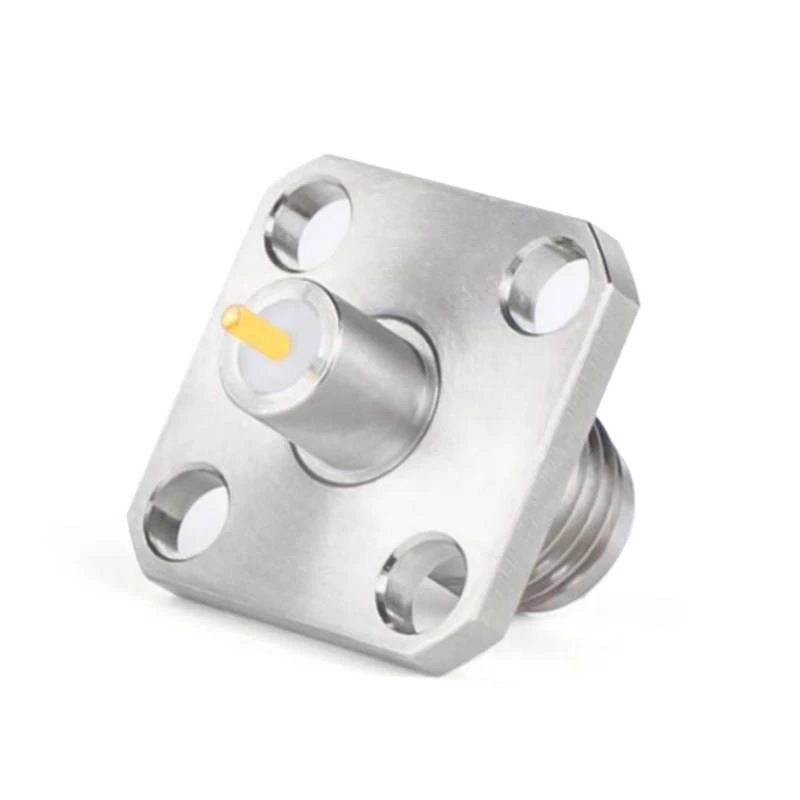
- Group Similar Connectors Together: Grouping similar connectors together can help you reduce the amount of space required for traces and routing. For example, if you have several power connectors, place them all in one area of the PCB to minimize the length of the power traces.
- Use Edge Mounting: Edge mounting is a technique where connectors are placed along the edge of the PCB. This can help you save space on the interior of the PCB and make it easier to connect external devices.
- Avoid Overcrowding: While it may be tempting to pack as many connectors as possible onto a small PCB, overcrowding can lead to a number of problems, including signal interference, difficulty in soldering, and reduced reliability. Make sure you leave enough space between connectors to allow for proper ventilation and access for testing and maintenance.
- Consider the Orientation of Connectors: The orientation of connectors can also have an impact on space utilization. For example, placing connectors perpendicular to each other can help you make better use of the available space on the PCB.
Using Miniaturized Connectors
Another way to optimize space utilization is to use miniaturized connectors. Miniaturized connectors are designed to be smaller and more compact than traditional connectors, while still providing the same level of functionality. Here are some advantages of using miniaturized connectors:
- Space Savings: Miniaturized connectors take up less space on the PCB, allowing you to fit more components onto a smaller board.
- Weight Reduction: Miniaturized connectors are generally lighter than traditional connectors, which can be beneficial in applications where weight is a concern, such as aerospace and automotive.
- Improved Signal Integrity: Miniaturized connectors often have shorter signal paths, which can help to reduce signal interference and improve signal integrity.
However, it's important to note that miniaturized connectors may also have some limitations, such as lower current-carrying capacity and reduced mechanical strength. Make sure you choose a miniaturized connector that is suitable for your specific application.
Designing for Easy Assembly and Maintenance
Finally, when optimizing space utilization, it's important to consider the ease of assembly and maintenance of your PCB. Here are some tips to help you design for easy assembly and maintenance:
- Use Standard Connectors: Using standard connectors can make it easier to source replacement parts and reduce the risk of compatibility issues.
- Provide Adequate Clearance: Make sure you provide enough clearance around connectors to allow for easy access with soldering irons, test probes, and other tools.
- Label Connectors: Labeling connectors can help to make it easier to identify and troubleshoot problems during assembly and maintenance.
- Consider the Use of Connectors with Built-in Test Points: Some connectors are available with built-in test points, which can make it easier to test the functionality of the connector and the PCB without having to remove it from the board.
Conclusion
Optimizing space utilization when using PCB connectors is a critical aspect of PCB design. By choosing the right connector for your application, carefully planning the layout and placement of connectors, using miniaturized connectors, and designing for easy assembly and maintenance, you can make the most of the available space on your PCB and create a more compact and efficient design.
If you're interested in learning more about our PCB connectors or have any questions about space optimization, please don't hesitate to contact us. We'd be happy to help you find the right solution for your specific needs.
References
- Printed Circuit Board Design Handbook, Third Edition by Henry Ott
- PCB Design for Manufacturability by John W. Carroll
- High-Speed PCB Design: A Practical Guide by Eric Bogatin


