
How do I ensure proper alignment of a PCB connector during installation?
Leave a message

As a supplier of PCB connectors, I often get asked about how to ensure proper alignment of a PCB connector during installation. It's a crucial step that can significantly impact the performance and reliability of electronic devices. In this blog, I'll share some practical tips and techniques that I've learned over the years to help you achieve perfect alignment every time.
First off, let's talk about why alignment is so important. When a PCB connector isn't properly aligned, it can lead to a whole bunch of problems. For starters, it can cause poor electrical contact, which means that signals might not transmit correctly. This can result in data loss, interference, or even complete system failure. Additionally, misaligned connectors can put stress on the pins or contacts, which can lead to mechanical damage over time. So, getting that alignment right from the start is key.
One of the first things I recommend is to carefully inspect both the PCB and the connector before installation. Look for any signs of damage, such as bent pins or scratches on the contact surfaces. If you notice any issues, it's best to replace the damaged component before proceeding. A damaged connector or PCB can make it nearly impossible to achieve proper alignment and can also lead to further problems down the line.
Next, make sure you have the right tools for the job. A good set of tweezers can be incredibly useful for handling small connectors and ensuring that they're placed in the correct position. You might also want to invest in a magnifying glass or microscope to help you see the alignment features more clearly, especially when working with high - density connectors.
When it comes to actually aligning the connector with the PCB, there are a few different methods you can use. One common approach is to rely on the alignment features built into the connector and the PCB. Many connectors have guide pins or keys that are designed to fit into corresponding holes or slots on the PCB. These features are there to help you position the connector correctly and prevent it from being installed backwards or at an angle.
For example, if you're working with Multi - coax Connectors, they often have specific alignment keys that need to match up with the slots on the PCB. Take your time to carefully align these keys and slots before pressing the connector into place. This can be a bit tricky, especially with smaller connectors, but it's well worth the effort.
Another important thing to keep in mind is the orientation of the connector. Some connectors have a specific polarity or orientation that needs to be followed. This is usually indicated by markings on the connector or the PCB. Make sure you double - check these markings to ensure that you're installing the connector in the correct direction.
If you're having trouble getting the connector to align properly, you can try using a jig or a fixture. A jig is a custom - made tool that holds the connector in the correct position relative to the PCB. You can make a simple jig out of cardboard or plastic if you don't have a commercial one available. Just cut out a shape that matches the outline of the connector and the PCB and use it to guide the installation.
When pressing the connector onto the PCB, it's important to apply even pressure. Uneven pressure can cause the connector to tilt or become misaligned during installation. You can use a small press or a pair of pliers with a flat surface to apply pressure evenly across the connector. Make sure you're pressing straight down and not at an angle.

It's also a good idea to test the alignment after installation. You can do this by checking for proper electrical continuity using a multimeter. If the connector is properly aligned and installed, you should get a good reading across all the pins or contacts. If you get a high resistance or an open circuit, it could be a sign that the connector is misaligned or that there's a problem with the electrical connection.
In addition to these basic techniques, there are some best practices that can help you ensure long - term alignment and reliability. For example, make sure you're using the correct soldering technique if you're soldering the connector to the PCB. Improper soldering can cause the connector to shift or become misaligned due to the heat and the flow of solder.
When working with Coax Connectors, it's important to pay attention to the torque specifications. Over - tightening or under - tightening the connector can affect its alignment and performance. Use a torque wrench to ensure that you're tightening the connector to the recommended torque value.
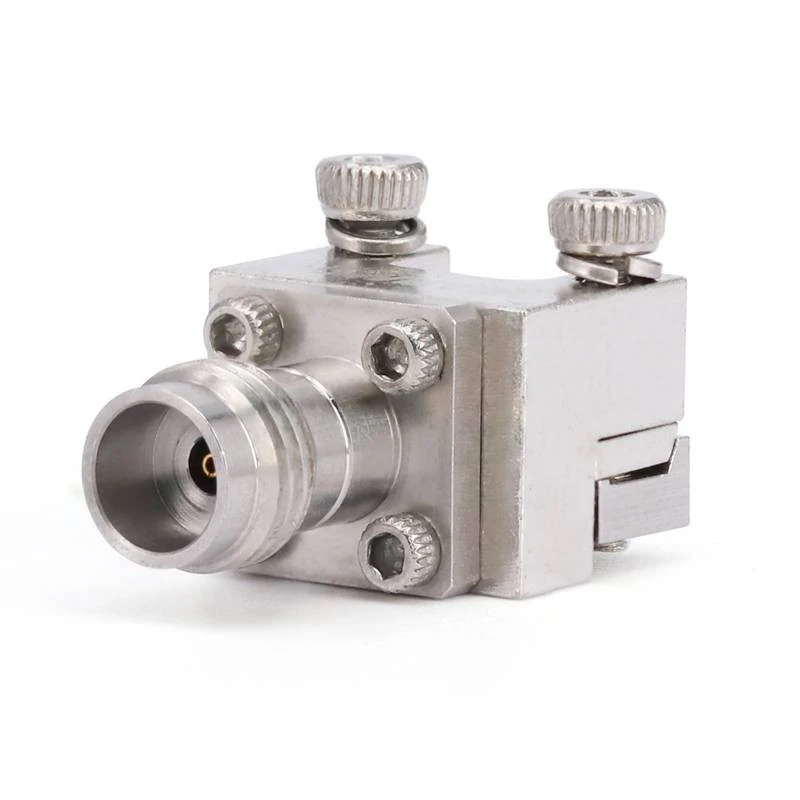
For End Launch Connectors, proper alignment is often critical for maintaining good RF performance. These connectors are typically used in high - frequency applications, and even a small misalignment can cause significant signal loss. Make sure you follow the manufacturer's guidelines for installation and alignment to get the best results.
Finally, don't forget about the importance of a clean work environment. Dust, dirt, and debris can get in the way of proper alignment and can also cause electrical problems. Keep your workbench clean and use compressed air to blow away any loose particles before installing the connector.
In conclusion, ensuring proper alignment of a PCB connector during installation is a multi - step process that requires attention to detail and the right techniques. By following the tips I've outlined in this blog, you can increase the chances of a successful installation and improve the performance and reliability of your electronic devices.
If you're in the market for high - quality PCB connectors or need more advice on installation and alignment, I'd love to hear from you. Whether you're working on a small DIY project or a large - scale industrial application, we have a wide range of connectors to meet your needs. Reach out to us to start a conversation about your requirements and how we can help you find the perfect solutions.
References
- General knowledge and experience in the PCB connector industry.
- Manufacturer's documentation for various PCB connectors.


